Explore Adobe Premiere Pro Free Trial: Features & Insights
Intro
In an era where video content is a cornerstone of communication, understanding the software that drives this medium is essential. Adobe Premiere Pro stands out as a tool favored by many video editors, from hobbyists to seasoned professionals. The allure of a free trial offers a spike of interest, especially for individuals and businesses that aim to enhance their video production quality without immediately committing a significant financial resource.
This guide dives deep into the ins-and-outs of the Adobe Premiere Pro free trial, peeling back the layers to reveal what users can genuinely expect. You’ll find yourself guided through an exploration of its capabilities, system requirements, and how it stacks up against competitors, as well as reviews from users who’ve ventured into the world of Premiere Pro on a budget. Ultimately, we’ll spotlight alternative software solutions for those who prefer different editing experiences, ensuring you’re well-informed to choose the best path for your video endeavors.
Prelude to Adobe Premiere Pro
Adobe Premiere Pro stands out as a cornerstone in the world of video editing. In an era when visual storytelling has become a primary means of communication, understanding this powerful tool is crucial for anyone serious about producing compelling video content. This section serves to lay the groundwork for comprehending the myriad facets of Adobe Premiere Pro, especially for businesses and individuals looking to innovate and engage.
Whether you're a small business owner aiming to promote your services or an entrepreneur wanting to creatively narrate your brand story, grasping the capabilities of Adobe Premiere Pro can truly elevate your video projects. Not merely a tool but a comprehensive solution, Premiere Pro offers an array of features that cater to both novices and seasoned professionals alike.
The importance of utilizing effective video editing software cannot be overstated. With platforms brimming with content, having a reliable tool like Premiere Pro in your arsenal can set you apart. This guide will delve into what makes this software essential and how its free trial can help users explore its capabilities before committing fully.
What is Adobe Premiere Pro?
Adobe Premiere Pro is a professional video editing software developed by Adobe Systems, and it’s renowned for its high functionality and versatility. The application fits snugly into the Adobe Creative Cloud suite, making it a favored choice among filmmakers, content creators, and marketers. Users can manipulate video clips in various formats, add effects, transitions, and audio enhancements, all within a user-friendly interface. The availability of templates also simplifies the process, allowing for greater creative expression with less hassle.
Premiere Pro’s integration with tools like Adobe After Effects and Adobe Audition enables creators to achieve a level of finesse in their projects that is hard to come by with other software. Users can seamlessly transfer assets and projects between programs, enhancing workflow efficiency while fostering creativity. This interconnectedness means that as a user, you can produce polished content that meets professional standards—all from one platform.
The Importance of Video Editing Software
Video editing software has transformed how we share information, present ideas, and engage audiences. Here are several reasons why having robust video editing tools like Adobe Premiere Pro is paramount:
- Enhancing Visual Storytelling: Crafting a narrative is much more engaging when it incorporates edited video content. With tools for trimming, sequencing, and layering, your story can resonate more powerfully.
- Reaching Broader Audiences: Engaging videos can help you connect with your target demographics more effectively. With video content typically generating more engagement on social media and other platforms, having a professional touch can make a significant difference.
- Improving Brand Image: High-quality videos reflect a professional image, which is essential for small to medium-sized businesses. A well-edited video showcases attention to detail and the care you put into your brand.
- Expanding Learning Opportunities: The landscape of video production is dynamic, filled with shifting trends and new techniques. Software like Adobe Premiere Pro offers continuous updates and resources, enabling users to keep their skills sharp and relevant.
In close, understanding Adobe Premiere Pro and the pivotal role of video editing software in today’s digital age sets the stage for exploring its free trial and features in the sections that follow. From understanding its trial mechanics to assessing system compatibility, this guide aims to equip you with the knowledge needed to navigate the world of video editing with confidence.
Overview of the Free Trial
When it comes to dabbling in the world of video editing, Adobe Premiere Pro's free trial serves as an ideal entry point for many professionals and hobbyists alike. By offering a taste of its powerful features without any immediate commitment, this trial opens up a treasure trove of opportunities for creators looking to enhance their skills and explore the software's capabilities. This section dives into the key aspects surrounding the free trial, from its duration to the registration process, each element playing a vital role in the user's experience.
Duration of the Trial Period
The duration of Adobe Premiere Pro's free trial is set for seven days, a weeklong window that allows users to immerse themselves in the intricacies of this robust software. For many, this period might seem like a fleeting glance at what Premier Pro can deliver, but it is often enough to gauge whether it meets one’s editing needs.
During this trial, users can explore a myriad of tools that address both simple and intricate editing tasks. Whether it’s trimming down footage, adding transitions, or experimenting with color correction, the trial allows you to dip your toes into waters that can lead to greater projects or enhancements in your workflows.
One critical element here is to maximize the day-to-day use of this trial period. By setting specific goals such as completing a short video project or experimenting with different editing techniques, users can evaluate the software’s fit for their long-term needs effectively.
Registration Process for the Free Trial
Tackling the registration process for the free trial is pretty straightforward, although it does require a few key steps. First, you’ll want to head over to the official Adobe website, where the free trial is prominently displayed, making it difficult to miss.
- Creating an Adobe ID: To get started, an Adobe ID is necessary. If you don’t have one, you’ll need to create it by providing a name, email, and a password. Simple enough!
- Email Confirmation: After setting up the account, an email confirmation is sent. Verify your email, accordingly, to proceed.
- Downloading the Software: Once your email is confirmed, you can download the installation file for Adobe Premiere Pro. This is where things get exciting, as you’ll soon be ready to launch your first editing project, all in the comfort of your own workspace.
It’s worth noting that in this registration phase, Adobe asks for a payment method, even though the trial is free. This step is standard practice to ease the transition into a paid subscription if you decide to continue after the trial. However, don’t worry; you won’t be billed unless you explicitly choose to continue your subscription once the trial concludes.
Key Reminder: Make sure to mark the end of your trial in your calendar! If you haven’t intended to adopt the premium version, you’ll want to avoid any unintended charges.
In summary, the registration process is user-friendly, designed with ease of access in mind, making it approachable for users at every skill level. Whether you're a seasoned video editor or just entering the realm of visual storytelling, the chance to explore the full capabilities of Adobe Premiere Pro, albeit briefly, is one that shouldn't be overlooked.
Key Features Available in the Free Trial
Understanding the key features of the Adobe Premiere Pro free trial is essential for anyone looking to dip their toes into video editing. This section highlights what you can expect from this trial, giving insight into its core capabilities that remain central to the software's reputation as a leading editing tool. Whether you're operating a small business or working on independent projects, knowing what's available can significantly influence your user experience and decision-making down the road.

Core Editing Tools and Capabilities
Adobe Premiere Pro is revered for its robust range of editing tools that cater to both amateurs and seasoned professionals. The free trial isn’t just a demo; it offers access to powerful editing features that allow you to execute a variety of techniques.
- Intuitive timeline: The editing process hinges on a well-structured timeline. The trial provides this exact setup, helping users slice and dice video clips with ease.
- Multicam editing: For those working on projects that require footage from multiple cameras, this feature allows for seamless integration of various angles, enhancing the overall storytelling quality.
- Audio mixing tools: Good quality sound can make or break a video. The trial gives access to professional-level audio editing capabilities, including support for voiceovers and background scores.
- Color correction & grading tools: The trial allows users to explore color adjustments, enabling them to create a consistent look that matches their narrative.
These features not only facilitate the basic functions of video editing but also democratize advanced techniques, making them accessible to newcomers. The trial ensures that even within a limited time frame, users can feel the full weight of what Premiere Pro has to offer.
Export and Output Options
Exporting is a vital component of any video editing process, and the trial includes several options that enable users to prepare their projects for sharing or broadcasting.
- Multiple formats: Users can export videos in various formats, giving them the flexibility to choose what best suits their needs—whether it’s MP4 for social media or a higher-quality format for film festivals.
- Resolution settings: The ability to select resolutions, including HD and 4K, is crucial for optimizing videos depending on the platform. This ensures that your hard work doesn’t lose fidelity during the final stretch.
- Direct share capabilities: The trial version supports sharing projects directly to social media platforms and other online channels. This streamlining can save time and effort—essential for fast-paced environments.
The export options available during the trial not only reflect Premiere Pro's versatility but also allow users to consider how their content will be consumed. By having these capabilities at their fingertips, creators can formulate content strategies that enhance audience engagement.
Access to Creative Cloud Assets
A standout advantage of using Adobe Premiere Pro during the free trial is the access to Creative Cloud assets. This ecosystem of resources enhances the editing experience and allows for greater creative freedom.
- Stock footage and sound effects: The trial grants access to Adobe Stock, providing a wealth of resources directly integrated into the editing environment. It’s a treasure trove for users looking to elevate their projects with high-quality supplementary media.
- Templates and presets: For users looking to save time and effort, a selection of motion graphics templates and color grading presets are available. These can jumpstart the editing process and provide a visually appealing finish to projects without requiring extensive customization.
- Collaboration features: If there’s a project where multiple users are involved, the Creative Cloud features allow for smoother workflows. You can share files and work collaboratively, which is important for teams spanning different locations.
The integration of Creative Cloud assets is particularly beneficial for small to medium-sized businesses. By tapping into these resources, companies can produce professional-grade content even if they’re working with limited budgets or limited personal. This synergy between Premiere Pro and Creative Cloud profoundly influences the overall editing process and end result.
Access to the vast range of features in the Adobe Premiere Pro free trial will prepare users to leverage the full potential of video editing tailored to their unique needs.
Limitations of the Free Trial
Every coin has two sides, and while the Adobe Premiere Pro free trial presents users with an opportunity to explore a powerful video editing tool at no cost, it's crucial to acknowledge its limitations. These constraints can shape the trial experience and, ultimately, one's decision to invest in the full version. Understanding these limitations can guide users, particularly small to medium-sized businesses and entrepreneurs, to make informed choices when it comes to video editing software.
Watermarking on Exports
One of the most apparent drawbacks of the Premiere Pro free trial is the watermarking on exports. When users finish editing their projects, they may find that any exported video contains a prominent Adobe watermark. This not only impacts the visual integrity of professional work but can also be a deal-breaker for those who intend to share their projects publicly. For businesses aiming to present polished content, a watermark might detract from the perceived quality and professionalism of their video. This limitation serves as a constant reminder that the full version offers a more polished output without such hindrances.
Feature Restrictions Compared to Full Version
In addition to watermarks, users of the free trial may encounter feature restrictions that separate it from the full version. Adobe may limit access to advanced functionalities such as multi-camera editing, certain effects, or high-end integrations with third-party tools. Without the ability to leverage the complete arsenal of tools, users may find themselves at a disadvantage. For instance, a budding filmmaker might deeply miss high dynamic range effects or specific sound editing capabilities, which are pivotal for achieving a professional-grade project. The trial can provide a taste of what’s possible, but it may lead to frustration for users needing those features for more complex editing tasks.
Time Constraints and Usage Limits
Lastly, the time constraints and usage limits of the trial can serve as a hindrance for extensive projects. The Adobe Premiere Pro free trial is typically available for a limited number of days, and this countdown often looms over users who want to explore the software thoroughly. Small businesses and creators may need ample time to adapt to the workflow and features, and feeling rushed can hinder the creative process. Additionally, the daily usage limit may restrict how long you can use the software in one sitting, complicating matters further. For many, video editing requires uninterrupted focus and creativity. Hence, limitations on trial time can significantly impact user experience and experimentation.
"Understanding the limitations of the free trial empowers users to better assess whether it fits their needs before committing to the full version."
In summary, the limitations of the Adobe Premiere Pro free trial—watermarking on exports, feature restrictions, and time constraints—serve as vital components that users must consider. By being aware of these factors, entrepreneurs and IT professionals can weigh the pros and cons more effectively, ultimately leading them to make informed decisions in their quest for the right video editing software. As they navigate through these constraints, users will gain insights that could directly impact their productivity and the quality of their final products.
System Requirements and Compatibility
Understanding the system requirements and compatibility is crucial when considering to dive into the Adobe Premiere Pro free trial. You might find yourself all geared up to create stunning videos only to discover that your setup doesn’t meet the necessary standards. Thus, knowing what you need before you hit that download button can save you a lot of headaches later.
The requirements basically boil down to two main categories: operating system and hardware specifications. Both elements play a pivotal role in ensuring that you have a smooth and successful editing experience. If your machine falters or lags, it can severely hinder your workflow, turning your creative endeavor into an exercise in frustration.
"A smooth operation is as essential as having the right tools in your online toolbox."
So, let’s break it down and get you acquainted with what you'll need.


Operating System Requirements
For Adobe Premiere Pro to run effectively, it’s essential to have a compatible operating system. The free trial primarily supports modern versions of Windows and macOS. As of the latest updates, the following requirements are generally expected:
- For Windows, the current version supported is Windows 10 (64-bit) or later.
- For macOS, users should have macOS Mojave (10.14) or later installed.
It's good practice to stay updated with the latest OS versions. They often come with performance boosts and new features that could enhance your editing experience. Remember, these requirements not only help in running the software but also in maintaining system stability, so one can get straight to editing without tech interruptions.
Hardware Specifications Needed
Now, let's move on to the hardware side of things, which is equally as important as the operating system. If your hardware isn’t up to snuff, even the slickest software won’t perform as expected. Adobe provides a detailed guideline, but to summarize, here are the core specifications you’ll want to keep in mind:
- Processor: At least an Intel sixth-gen CPU or AMD equivalent. The faster, the better you’ll be able to render and edit complex sequences.
- RAM: A minimum of 8GB is required, though 16GB or more is recommended for more demanding projects.
- Graphics Card: A GPU with at least 2GB of VRAM is essential for smooth playback and rendering. NVIDIA and AMD have solid options to consider.
- Storage: You should have a solid-state drive (SSD) for optimal performance. Your primary drive should ideally have enough free space to accommodate large video files and cache memory.
- Display: A resolution of 1920 x 1080 is necessary for clear visuals; however, 4K displays will provide a better experience if you're editing high-definition footage.
Keeping these hardware requirements in mind can make a world of difference. The last thing you want is to be caught off-guard with a system that can barely keep up with your creative demands.
By ensuring your system meets these requirements, you'll set the stage for a productive editing experience. This prep work can allow users to focus on their projects rather than troubleshooting compatibility issues once the trial is activated.
User Experience and Feedback
The user experience with any software can dictate a lot about how effectively it meets the needs of its user base. In the case of Adobe Premiere Pro, feedback from users sheds light on its usability, performance, and overall satisfaction levels during the free trial phase. For small and medium-sized businesses, entrepreneurs, and IT professionals, understanding real-world experiences can make the difference between a wise investment and a regrettable purchase.
When exploring the free trial of Adobe Premiere Pro, potential users are likely to focus on several aspects, such as the interface's intuitiveness, speed of processing, and quality of the finished product. Positive user feedback often highlights how certain features make complex editing tasks much easier and quicker. On the flip side, critical feedback can shine light on aspects that may not meet expectations, which can be equally valuable for someone considering diving into a new editing tool. With the insights gained from user feedback, individuals can weigh the pros and cons before committing to a long-term subscription.
Pros of Using the Free Trial
Adobe Premiere Pro's free trial offers several advantages that can be quite appealing for those on the fence about the software. Here are some of the key benefits that users often mention:
- Comprehensive Feature Access: Users can explore a wide range of powerful editing tools without any upfront investment. This includes advanced features like multi-camera editing, color correction, and audio editing options, giving a real sense of the software's capabilities.
- User-Friendly Interface: Many users note that the interface is intuitive, making it easier for editors, even those without prior experience, to navigate and utilize the tools effectively.
- Learning Curve: The free trial is an excellent opportunity for individuals to learn the ropes. Those who have no previous experience with video editing software can take their time to familiarize themselves with the controls and features.
"Trying Adobe Premiere Pro for free allowed me the freedom to experiment without the pressure of financial commitment. I truly appreciated the range of tools available during the trial." – A user feedback sample.
- Project Compatibility: Users appreciate how the trial version integrates seamlessly with various formats, ensuring that projects can transition smoothly between different editing suites or creative tools.
- Community Support: Many users point out that Adobe’s vibrant community can be helpful. Online forums, tutorials, and video walkthroughs provide assistance when users run into difficulties.
Cons as Reported by Users
While there are numerous positive experiences, it’s worth addressing the downsides that some users encounter during the free trial:
- Watermarking on Exports: One common complaint is that projects exported from the trial often feature a watermark. This can be frustrating for users who want to showcase their work in a professional manner.
- Limited Time Access: Users have voiced concerns regarding the trial's time constraints. With just a week or so to explore, many find themselves rushed, which inhibits a thorough evaluation of the software's features and capabilities.
- Certain Features Locked: While the trial is quite generous, certain features—like some premium plugins—are often unavailable, leading to disappointment for users eager to exploit the full potential of Premier Pro.
- Performance Issues on Lower-End Machines: Some users have noted that Premiere Pro demands more from hardware than they anticipated. Older systems can struggle with responsive editing or rendering, which is a roadblock for those on a tight budget.
In summary, understanding these pros and cons through user experience and feedback doesn't merely guide potential users in their decision-making but also enhances their expectations. It can help them prepare and strategize their usage during the trial phase, ensuring a comprehensive exploration of Adobe Premiere Pro's offerings.
Alternatives to Adobe Premiere Pro
In an increasingly crowded market for video editing software, finding an option that meets all your needs can feel like searching for a needle in a haystack. While Adobe Premiere Pro is a leading choice for many, it’s essential to explore alternatives that might better fit your specific requirements or budget. This section will delve into various competing video editing software solutions. The focus is not just on features but also on benefits and considerations that may drive a user to make a switch or to explore beyond Adobe's offerings.
Overview of Competing Software
When it comes to video editing, several alternatives can rival Adobe Premiere Pro regarding functionality and usability. Checking out these options could give creators the flexibility they need without committing to a hefty subscription fee. Here’s a glimpse of some noteworthy pieces of software:
- Final Cut Pro X: Tailored for Mac users, Final Cut Pro X is often hailed for its speed and advanced features such as magnetic timelines and robust color grading tools. It’s considered a favorite among YouTubers and independent filmmakers.
- DaVinci Resolve: This software combines video editing with powerful color correction capabilities. Its free version is quite generous and often preferred by those who require exceptional color grading.
- Sony Vegas Pro: Vegas offers a user-friendly interface and is great for beginners. It's packed with audio editing tools, making it appealing for those involved in musical projects.
- HitFilm Express: Ideal for students or those looking for a low-cost option, HitFilm Express offers a variety of video editing features along with VFX tools, appealing to budding filmmakers.
- Lightworks: Renowned for its editing capabilities in professional film production, Lightworks is also suitable for quick edits. It has both free and pro versions, catering to different user needs.
These software options cater to various user levels, from beginners to advanced editors. Each provides a unique set of tools that can enrich your editing experience and may even allow for better customization depending on project requirements.
Feature Comparisons
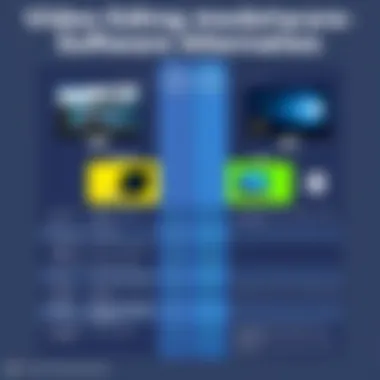

Understanding how these alternatives stack up against Adobe Premiere Pro can help users to make informed decisions. Here are some key comparisons based on common features:
- User Interface:
- Editing Tools:
- Pricing:
- Performance:
- Collaboration Tools:
- Adobe Premiere Pro has a more traditional approach where many tools are nested within panels.
- Final Cut Pro X offers a more streamlined and intuitive layout that many users find easier to navigate.
- Premiere boasts a comprehensive array of editing tools suitable for both professional and amateur use.
- DaVinci Resolve, while powerful in color grading, also features extensive editing capabilities.
- Adobe uses a subscription model which can become costly over time.
- Alternatives like HitFilm Express offer significant tools for free, making it very appealing.
- Premiere Pro is known to be resource-heavy, requiring a robust system for smooth operation.
- Final Cut Pro is optimized for Mac systems, often delivering better performance on these devices.
- Adobe Premiere Pro excels with its integration within the Adobe Creative Cloud, making it easy to share projects.
- Lightworks also offers collaboration features but may not integrate as seamlessly with other software.
With these comparisons, one can ascertain that the "best" option largely depends on personal preference, project needs, and budget constraints. Without a doubt, exploring these alternatives broadens the horizon of possibilities for video editing, driving enhanced creativity and productivity.
"While Adobe Premiere Pro shines, sometimes the grass is greener on the other side of the fence."
Making the Decision for the Full Version
Choosing whether to transition from the free trial of Adobe Premiere Pro to the full version is a pivotal step for anyone serious about video editing. This decision shapes not just your editing capabilities, but also influences your workflow and project outcomes moving forward. It is vital to analyze your editing needs and determine if the investment aligns with your goals, time frame, and budget constraints.
Evaluating Your Editing Needs
Before diving into the costs associated with Premiere Pro, it is essential to assess your specific editing requirements. Ask yourself several important questions:
- What kind of projects are you planning to work on? Short clips, full-length films, or perhaps something in-between?
- Do you need advanced features such as multi-cam editing, color correction, or audio mixing?
- How often do you anticipate using the software?
Each of these considerations will guide you in identifying whether the robust capabilities of Premiere Pro match your editing style. For instance, if you are mainly creating short social media clips, perhaps a more streamlined software could suffice. However, if you’re delving into cinema-quality productions, Premiere Pro's extensive suite of features might be worth your while.
Cost-Benefit Analysis of Premiere Pro
After determining your needs, it's time to balance them against the costs associated with the full version of Premiere Pro. Here’s an outline to consider:
- Subscription Model: Adobe offers a monthly or annual subscription, which can seem daunting upfront. Weigh this against your budget. For instance, compared to one-off purchases, subscriptions can be cost-effective for accessing updates and new features regularly.
- Learning Curve: Take into account the time investment needed to master the full suite of features. While the free trial gives access to the software, transitioning effectively may require additional training or online courses, which can incur additional costs.
- Output Quality and Compatibility: With Premiere Pro, the quality of your outputs is enhanced. It supports a vast array of codecs and formats, ideal for professional projects. Are these quality perks worth the extra cash for you?
The benefits you gain from the full version, particularly if you are working in a commercial environment, can often outweigh the costs by enabling you to create high-quality work more efficiently.
"Investing in quality tools often reflects in the quality of work produced. Don’t skimp on the essentials if you aim for excellence."
In summary, making the decision to invest in Adobe Premiere Pro's full version boils down to a careful evaluation of your editing needs against the backdrop of the potential return on investment. The right choice ensures that you’re not only equipped with the necessary tools but are also positioned to excel in your video editing endeavors.
The End: Navigating the Free Trial Landscape
When exploring the intricacies of the Adobe Premiere Pro free trial, understanding the key points of this guide is crucial for any potential user. As video editing becomes an increasingly significant aspect of various industries, the ability to test a tool like Premiere Pro without commitment provides a unique opportunity. It allows users to investigate whether the software's capabilities align with their own creative aspirations or business needs. Here's where the trial becomes not just a mere tool, but a strategic step in enhancing one's editing workflow.
Final Thoughts on the Trial Experience
The free trial of Adobe Premiere Pro offers a window into a world of possibilities. For many, the experience could either reinforce their existing convictions about its value or illuminate aspects they had not considered before. Users often find that the initial learning curve, while somewhat steep, is compensated by the quality and depth of features available. Feedback from users often highlights that those who invest time in the trial tend to grasp advanced techniques or functionalities, which can thereafter transform their approach to video editing.
Moreover, the trial appears to foster a deeper appreciation for Premiere Pro's integration with the wider Adobe ecosystem. By allowing access to Creative Cloud assets, it maximizes the potential of collaborative projects. Thus, taking the plunge into the trial isn't merely about assessing a piece of software; it's about gauging how well it fits into a broader creative strategy.
"In a sea of video editing tools, exploring the nuances of Adobe Premiere Pro can reveal hidden gems of expertise and creativity."
Recommendations for Potential Users
For those considering the Adobe Premiere Pro free trial, strategizing your approach can enhance your overall experience. Here are several recommendations:
- Dedicate Time: Jumping in with both feet is essential. Users should set aside a few uninterrupted hours to really dive into the features and capabilities of Premiere Pro. This commitment fosters a deeper understanding of the interface, shortcuts, and tools available.
- Engage with Resources: Utilize the wealth of resources available, from user forums on Reddit to tutorial videos on YouTube. Adobe’s official site also provides valuable insights and tips.
- Start Small: Begin with short projects to avoid feeling overwhelmed. Gradually increasing the complexity of your projects allows for a more manageable learning curve.
- Test Compatibility: Before fully committing, check how well Premiere Pro integrates with any additional software or tools already in use. This consideration can save time and enhance productivity.
By taking these pointers into account, potential users can ensure that they make the most of the Adobe Premiere Pro free trial. The trial is designed to help users discover whether this robust software aligns with their editing goals, and by understanding it deeply, users can make informed decisions about upgrades and future investments.